Every card, in its place
Track quantities, conditions, purchase costs, and physical locations. Find the right card without digging through every box.
Know what you own, where it’s selling, and what you actually make. TCGJet brings inventory, market prices, and profit together on your Mac.
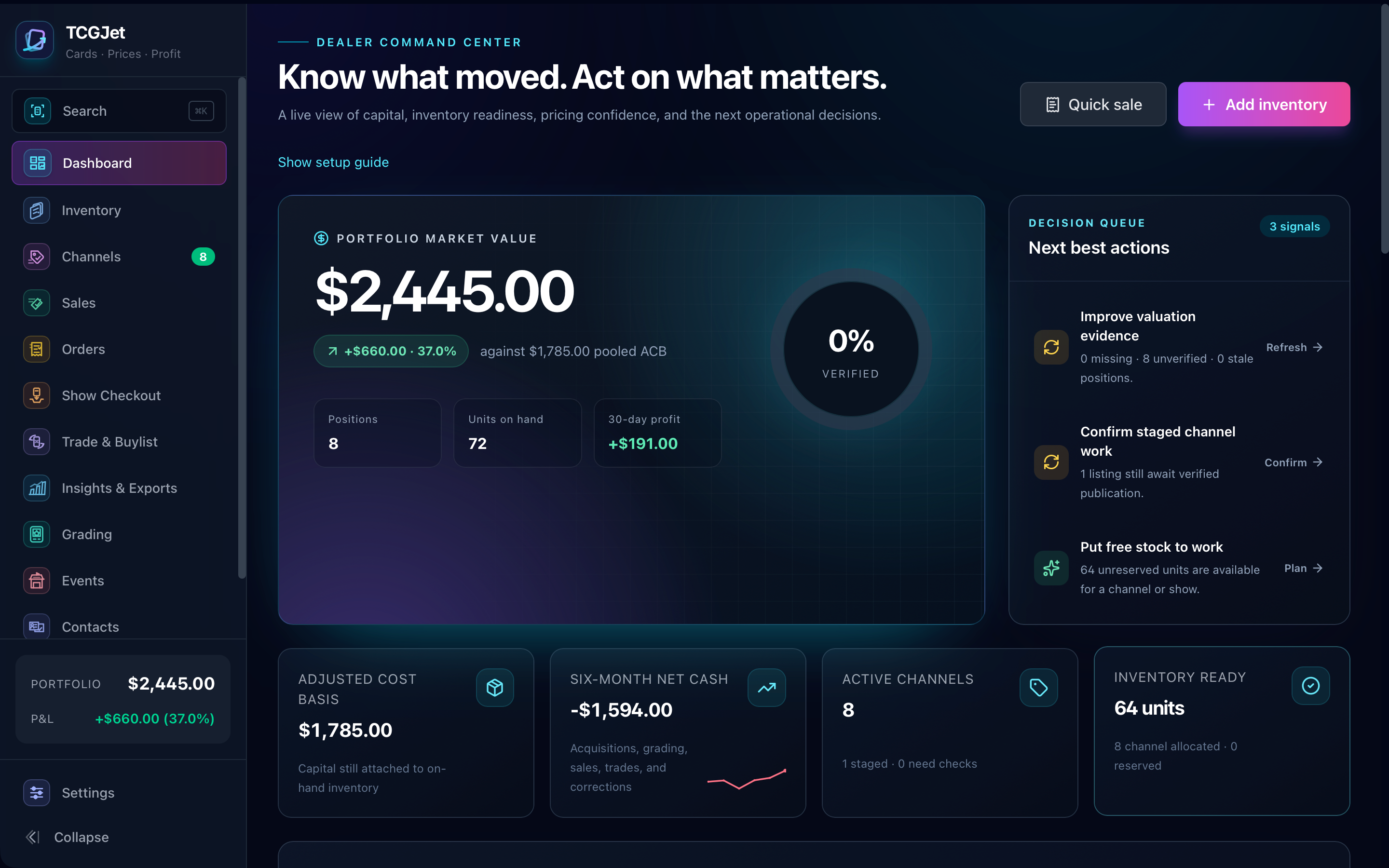
01What you own. Cards, quantities, costs, and the box they’re in.
02Where it’s selling. Channel allocations, asking prices, and available stock.
03What you keep. Sale proceeds minus costs, fees, and shipping.
From a single card to your whole operation. Explore the actual application below.
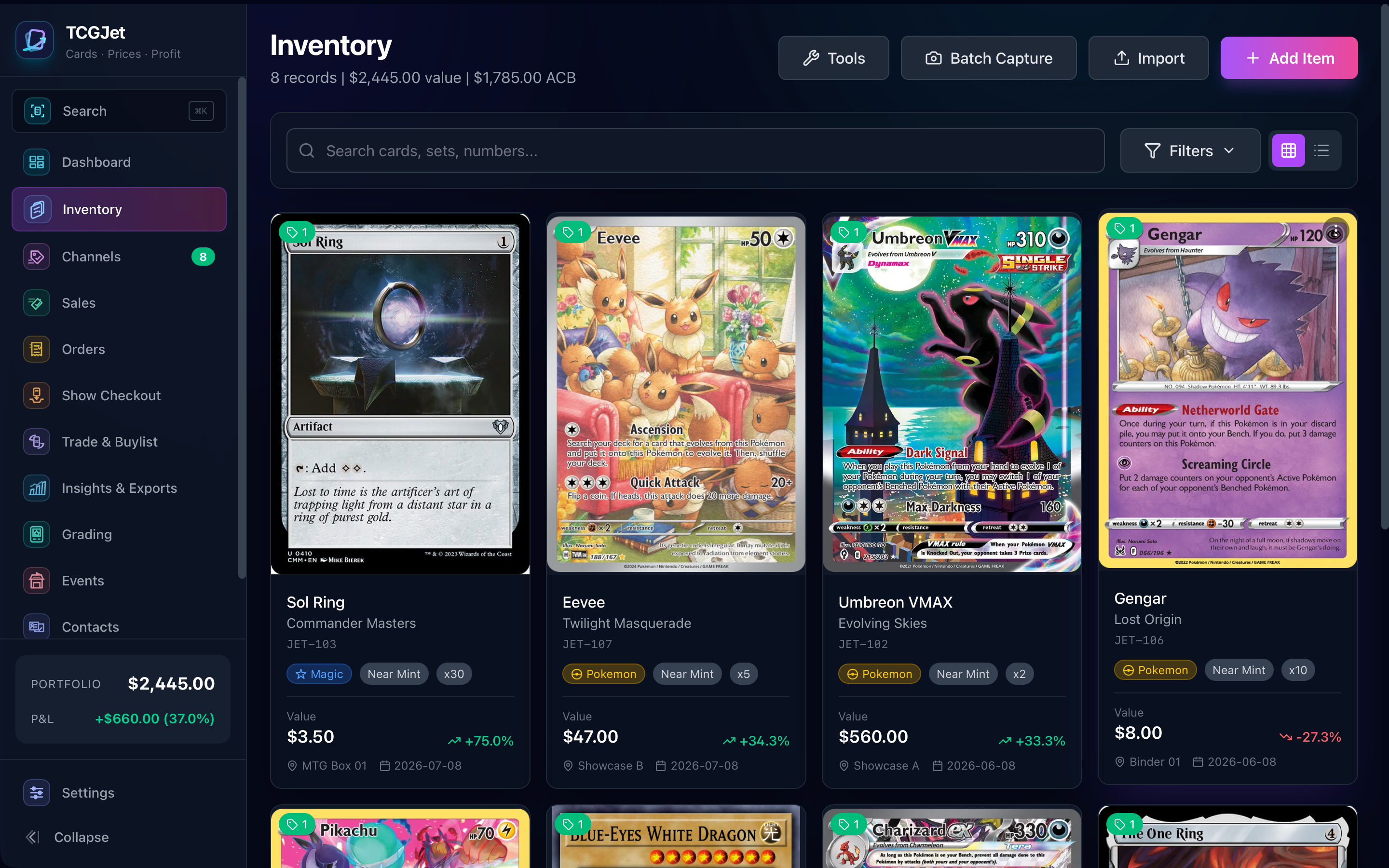
A rising market price is only part of the picture. Connect it to what you paid, where your stock is, and what happens when you sell.
Track quantities, conditions, purchase costs, and physical locations. Find the right card without digging through every box.
See stock allocated to marketplaces and card shows, asking prices, and units still free to sell. Compare your records with channel CSV exports.
Connect each sale to its cost, marketplace fees, and shipping. See what you actually kept—not just what you sold.
Connect supported price providers and compare available quotes. Keep control of your valuations when a provider has no matching price.
Spot aging stock, weak margins, missing prices, and unused inventory. Go straight from the signal to the card.
Keep your inventory and sales on your Mac. Work offline, export your records, and back up your workspace on your terms.
Start with what you already have. Add detail as you need it.
Import a CSV from your existing tracker, map its columns, or add cards individually. Choose your currency before recording purchases.
Connect a supported price source, review missing values, and assign boxes, binders, or showcases so you know where everything is.
Use checkout at a show, track stock across channels, and see how sales affect your remaining inventory and margins.
Keep loving the cards. Spend less time figuring out the business around them.
No account required for core desktop use. Portable backups and exports keep you in control.
Keep the collection organized and know whether selling a card actually paid off.
Bring your inventory, use offline checkout, and keep a record of what left the case.
Manage stock across channels, see your margins, and find the cards tying up your money.
Your inventory, prices, channels, and profit in one desktop workspace. Access enquiries are temporarily paused.
Optional price providers may require their own subscription or API key.
We are completing our public contact and privacy arrangements. This website is not accepting new email enquiries or payments right now.
Access enquiries are temporarily paused while we complete our public contact and privacy arrangements. This website is not accepting payments or delivering installers. See our support page for current information.
Track cards across games including Pokémon, Magic: The Gathering, and Yu-Gi-Oh! Catalog, image, and market-price coverage depends on the selected game and provider. You can also enter cards and values manually.
TCGJet supports multiple catalog and price providers. Some offer free data; others require your own API key or paid plan. Prices depend on card matching, printing, finish, condition, and provider coverage. Missing prices are not treated as zero.
Inventory is what you own and where it’s physically stored. Channels shows which units you have allocated to each selling destination, their asking prices, and what remains free to sell.
Channels is a stock-management workspace, not an automatic marketplace connector. Plan changes, export them, compare channel CSV snapshots, and confirm changes after making them on the marketplace.
Core desktop records stay on your Mac. Catalog searches and price refreshes contact the providers you use. You control backups and exports. New website enquiries are paused; see our privacy page for existing enquiry and hosting information.
Import profiles cover TCGplayer, Collectr, ManaBox, PriceCharting, eBay, Card Dealer Pro, and generic CSVs. Review the mapping before bringing records into your inventory.
No. It organizes costs, sales, and profit, including pooled adjusted cost basis. Your accountant decides how those records apply to your circumstances.